Feedback at the right moment.
Pin a comment to the timeline, reply, resolve it and keep internal discussion internal. Switch versions without losing your place. The next audition starts with the feedback already attached.
Studio
Dynamics comparisons? Those too. Stereo/mono switch? Yep. Version stacks, reference tracks and timed comments are all here, with the master selection kept in the release.
Pin a comment to the timeline, reply, resolve it and keep internal discussion internal. Switch versions without losing your place. The next audition starts with the feedback already attached.
Version comparison
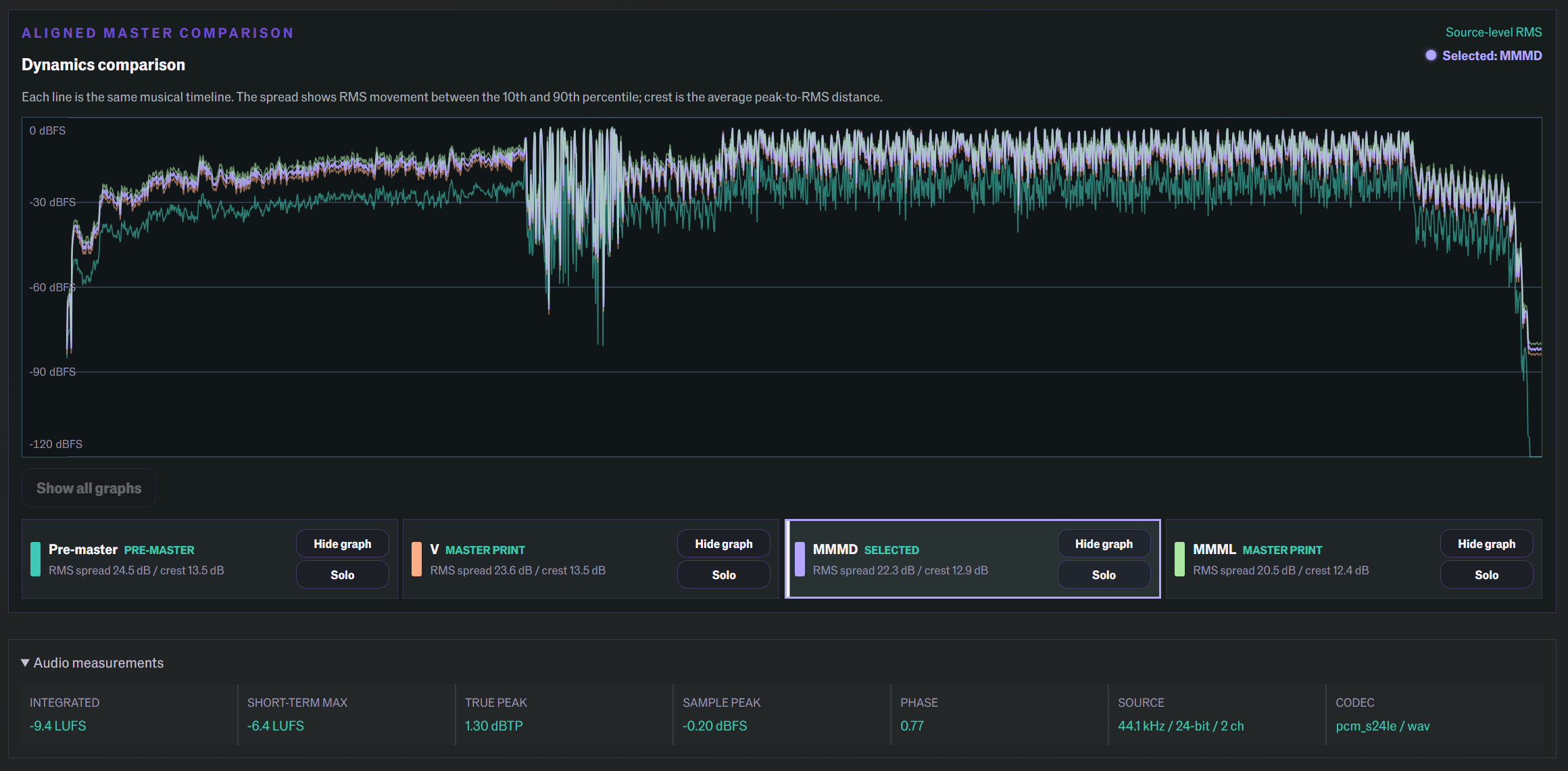
Compare the dynamics of your versions against the pre-master. Show, hide or solo the traces you want. Gain matching and the listening controls stay close to the comparison.
Build a review playlist from a release, accepted project or compilation. Audition the running order and propose a new sequence without downloading a folder and rebuilding it somewhere else.
Generate an album-loudness preview around the average LUFS, with true-peak protection. Audition the whole record while the source masters stay untouched. Trim and fade previews become delivery renders only when you confirm them.
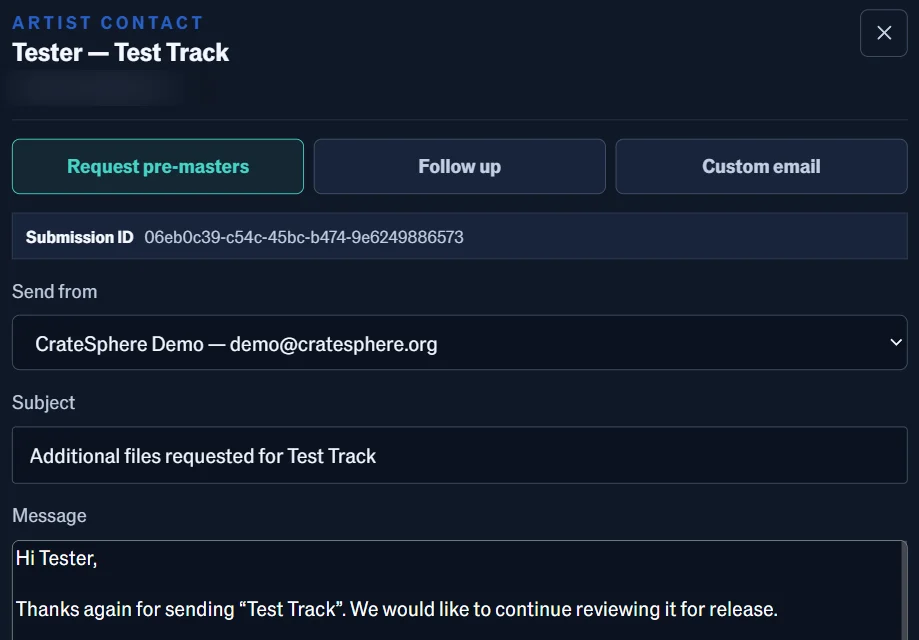
Pre-filled requests and follow-ups bring in the artist and submission context. Edit the message and send it. Repetitive correspondence stays repeatable; the wording is still yours.
Trim it, fade it, add a little silence. All in CrateSphere. Skip the download, DAW edit and re-upload. Choose Log, Linear, Cosine or Equal Power fades, or add silence at the start or end as a new version. Preview edits stay separate from the source; permanent edits ask for confirmation.