Record label management software

You found the music. Let’s get it released.

Review the submission. Agree the terms. Choose the master. Get the artwork and metadata ready, then send it out. CrateSphere carries the release through each decision, with sales records and draft statements for what comes next.

Personal demos available now. Self-hosting is available; managed cloud is in development.

Inside CrateSphere

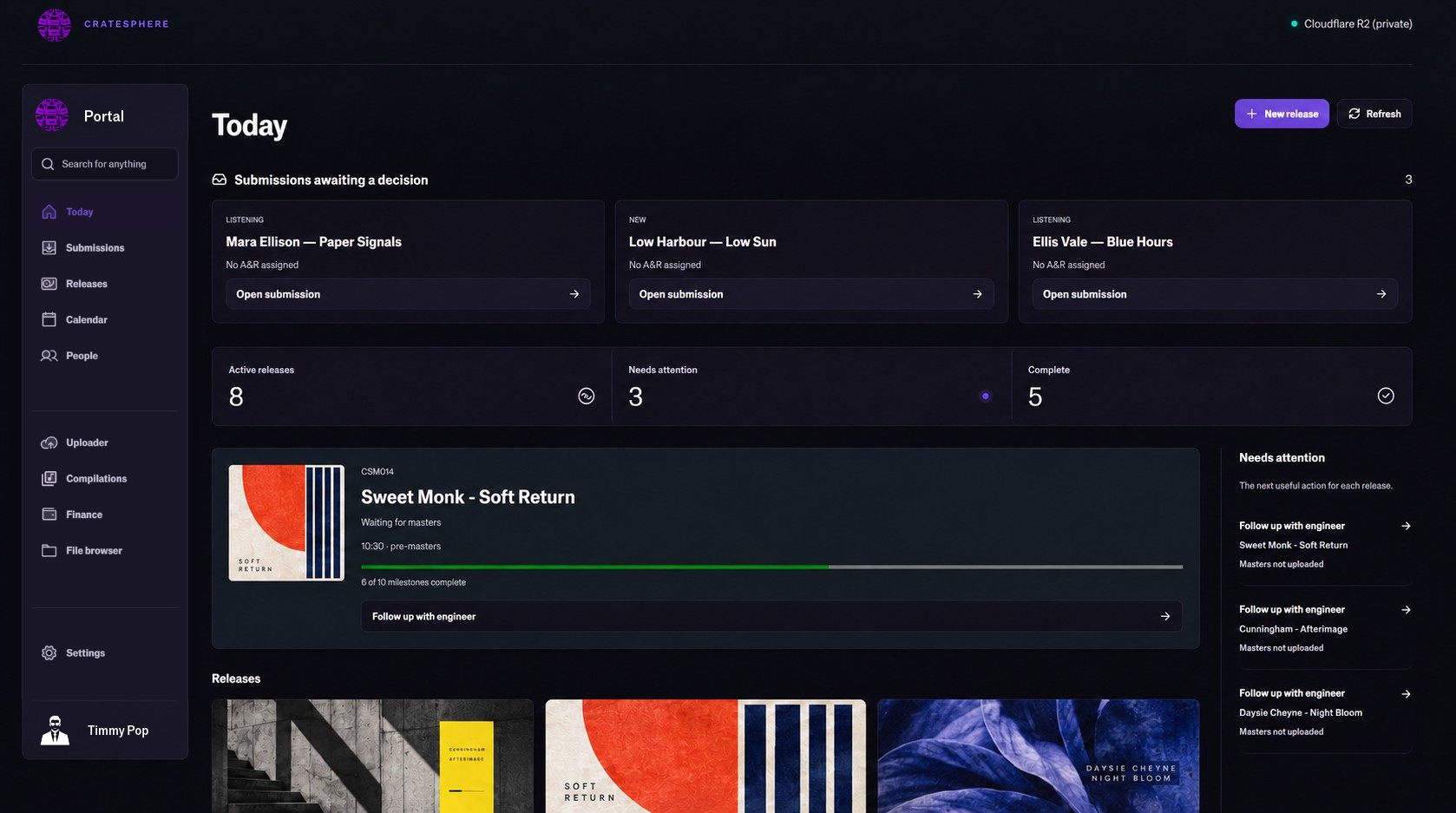
CrateSphere Today dashboard with fictional submissions, release artwork, progress and next actions.
Open full size.
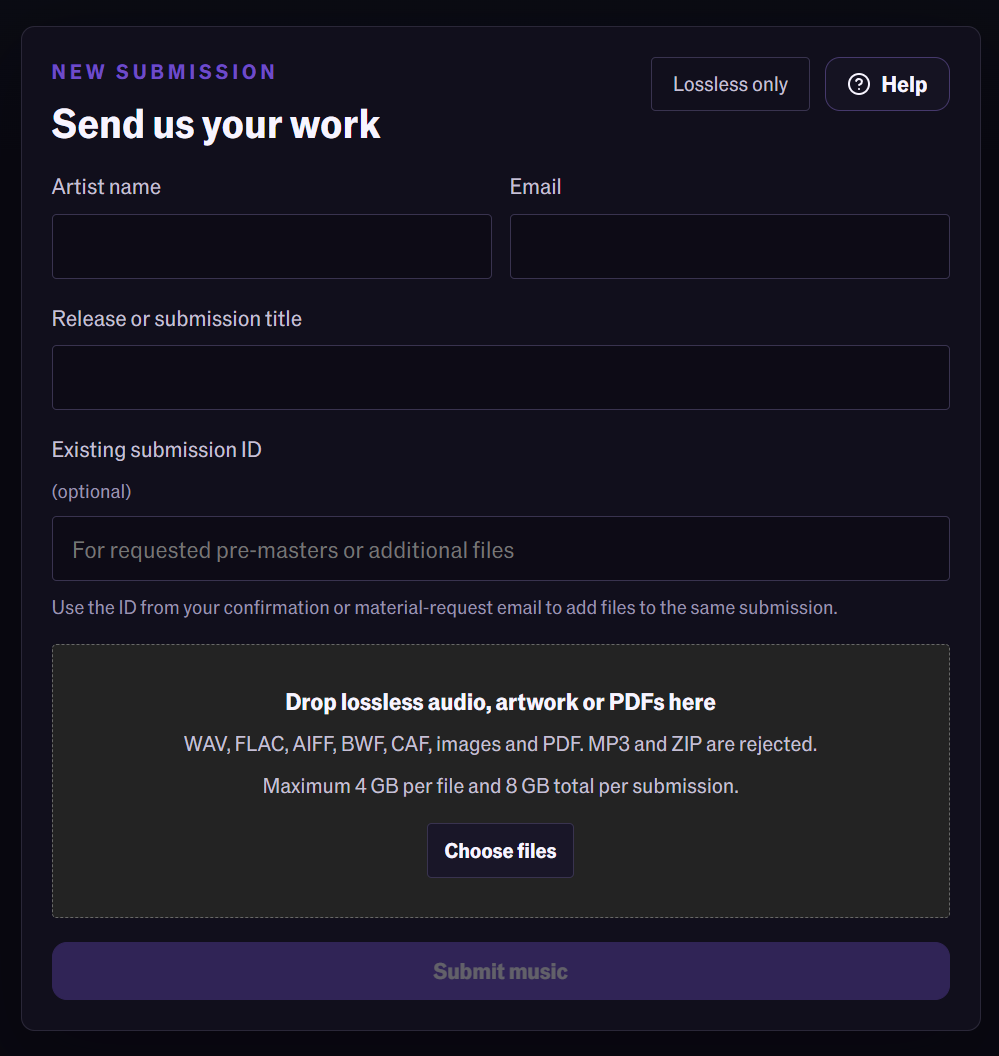
Blank lossless submission form with artist, email, title and existing submission fields, plus audio, artwork and PDF upload.
The submission form, including lossless audio, artwork and PDF uploads. Open full size.

Submission and review

Hear the submission. Decide what happens next.

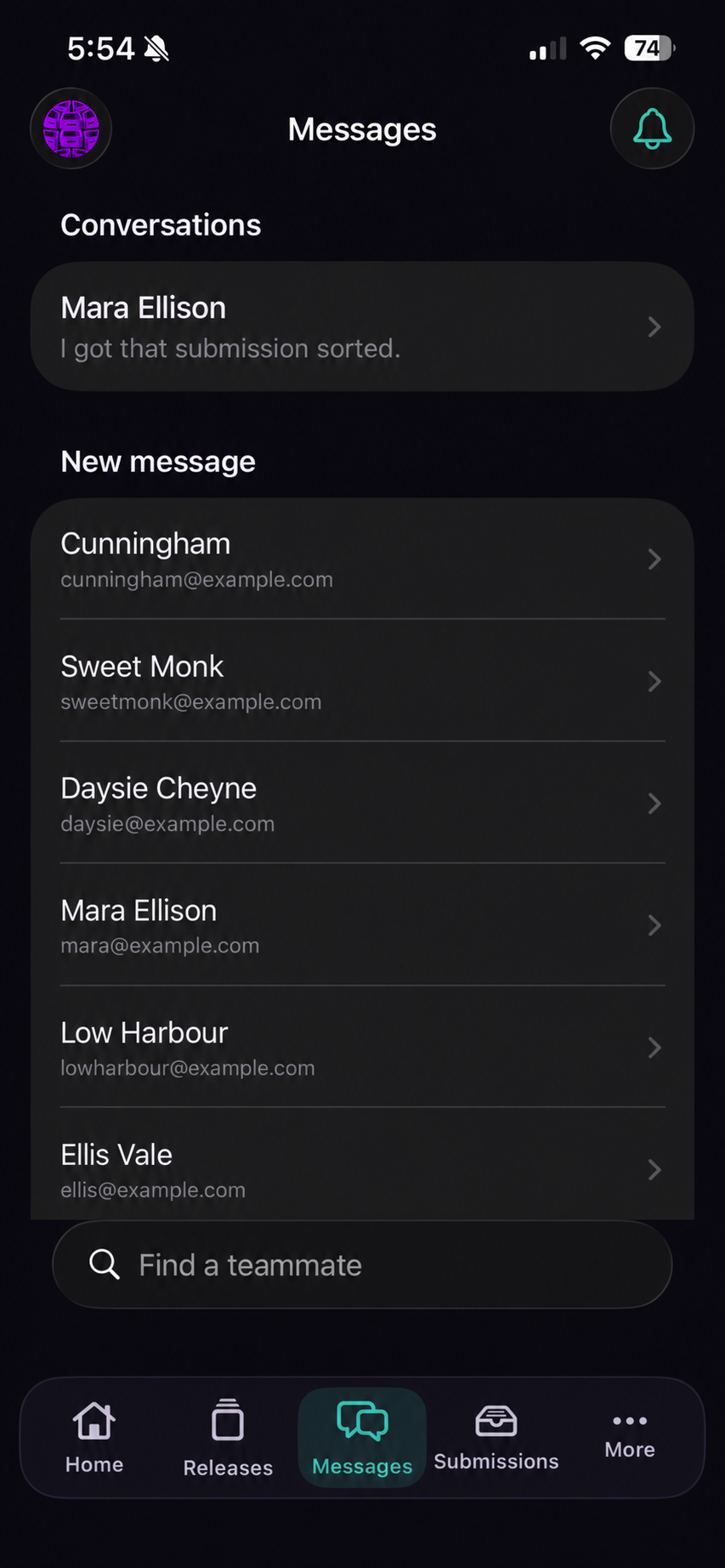
Artists send lossless audio through your submission uploader. Listen, review and request pre-masters with the artist and track context already in the message. Accepted submissions become release projects.

An agreement, when the release needs one.

Prepare terms and track signing in the release. Formal agreements, informal arrangements and free releases all fit. Agreements are optional, and signatures do not hold up production or delivery.

Release progress

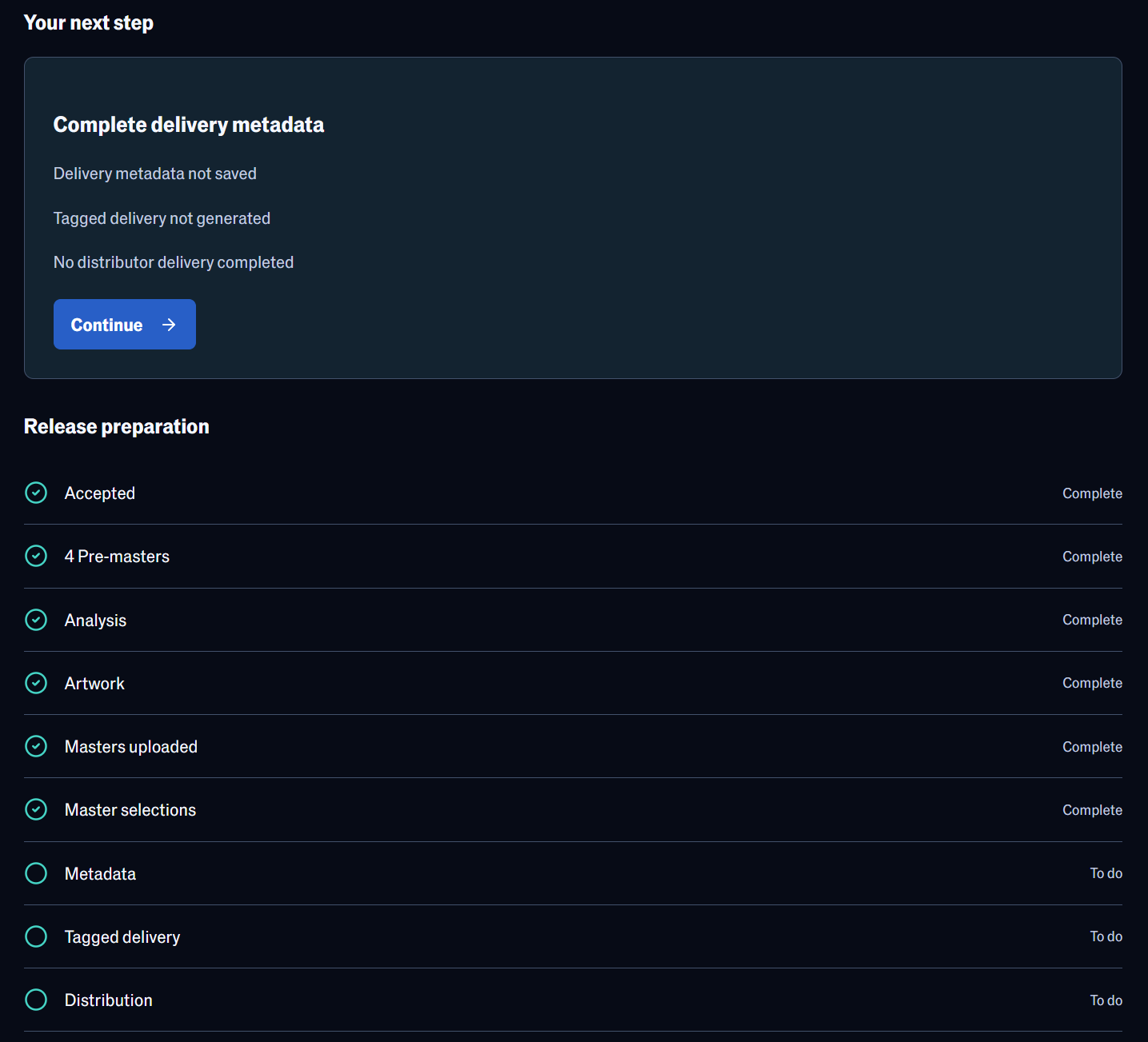
Your next step, without the status meeting.

Open the release and see the next action, preparation checklist and outstanding work. Assign the mastering engineer, approve the artwork and get delivery ready from the same workspace. The message wall keeps the discussion there too.

Open the release overview full size
The real release Overview showing the next action and outstanding preparation checklist.

Production and Studio

Review the versions. Make the master choice.

Audition. Compare. Comment.

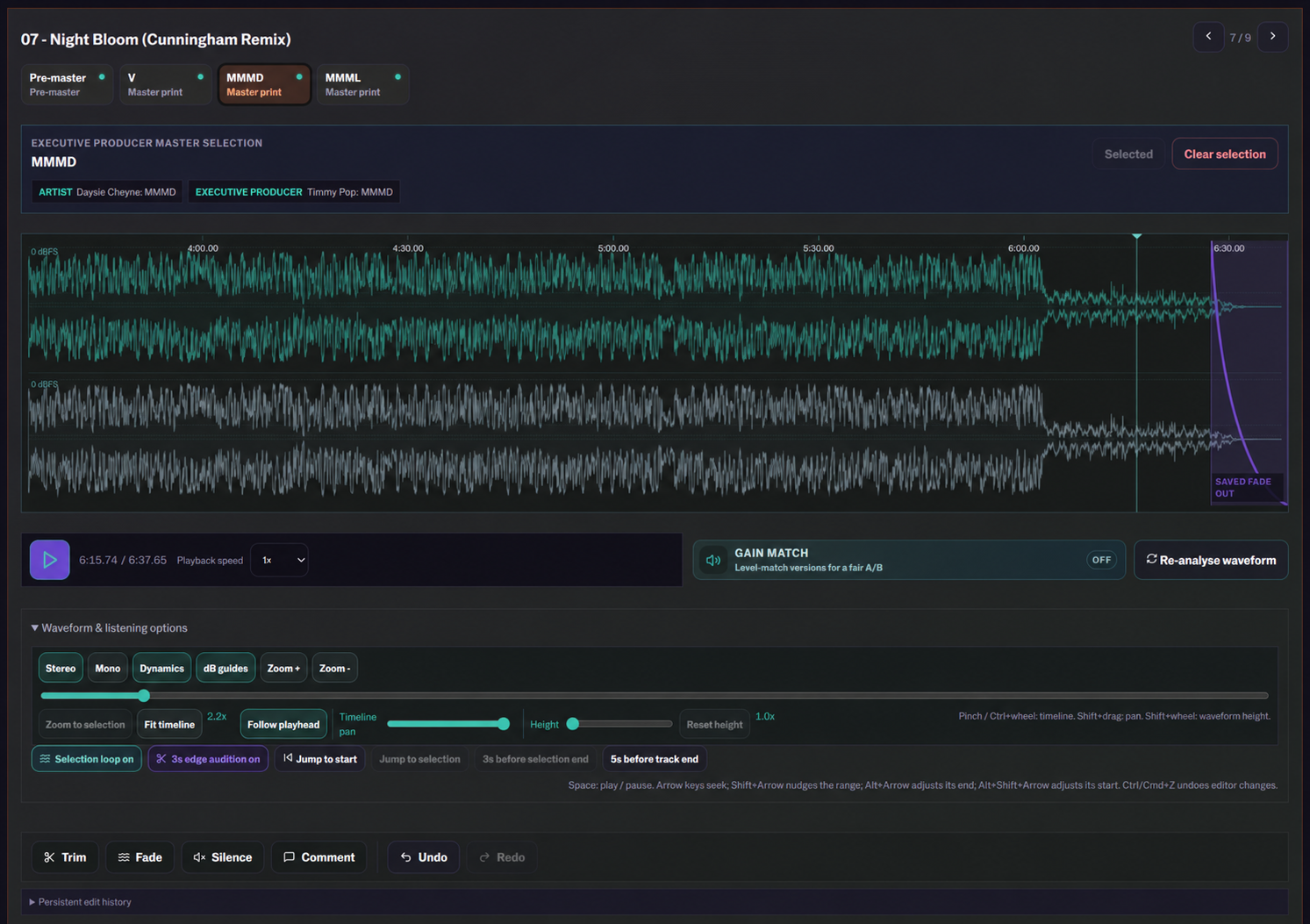
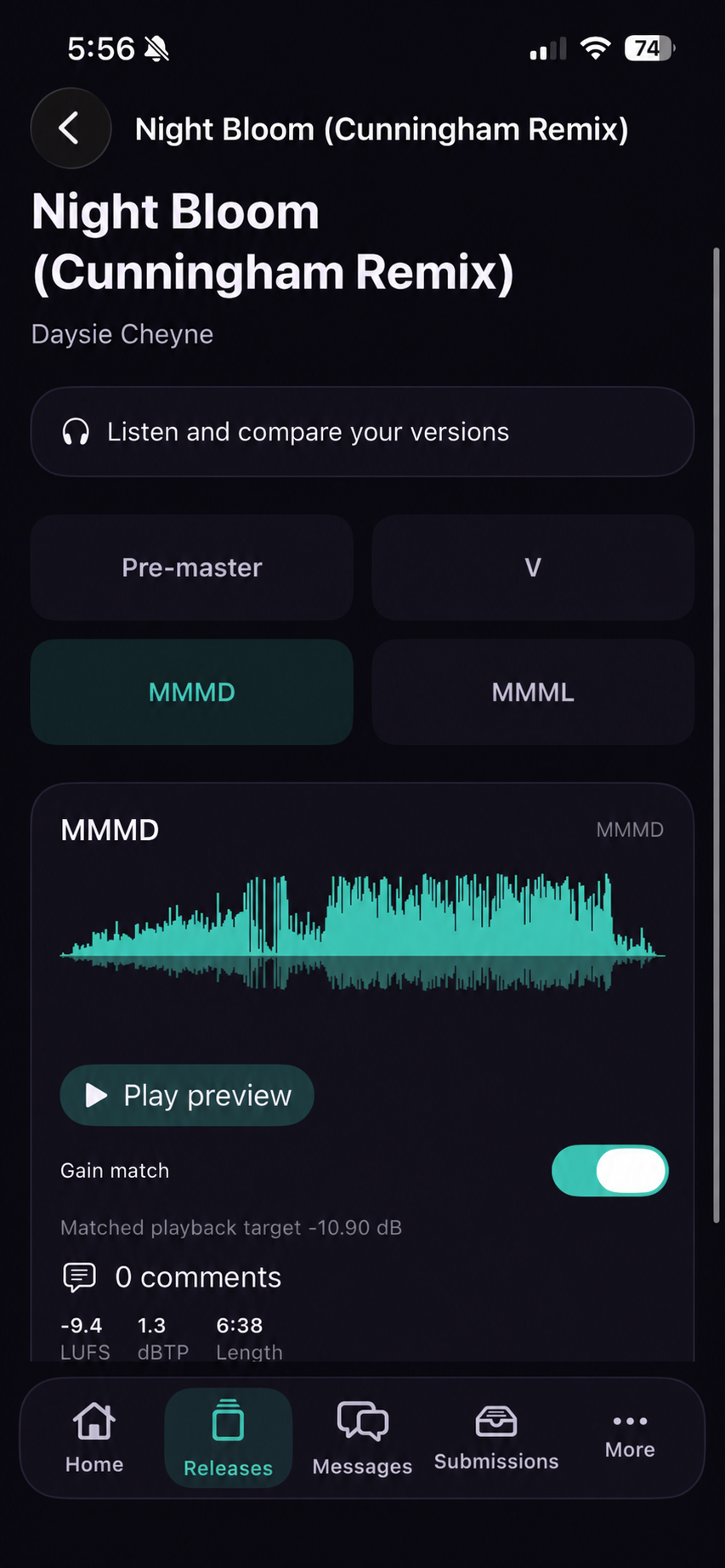
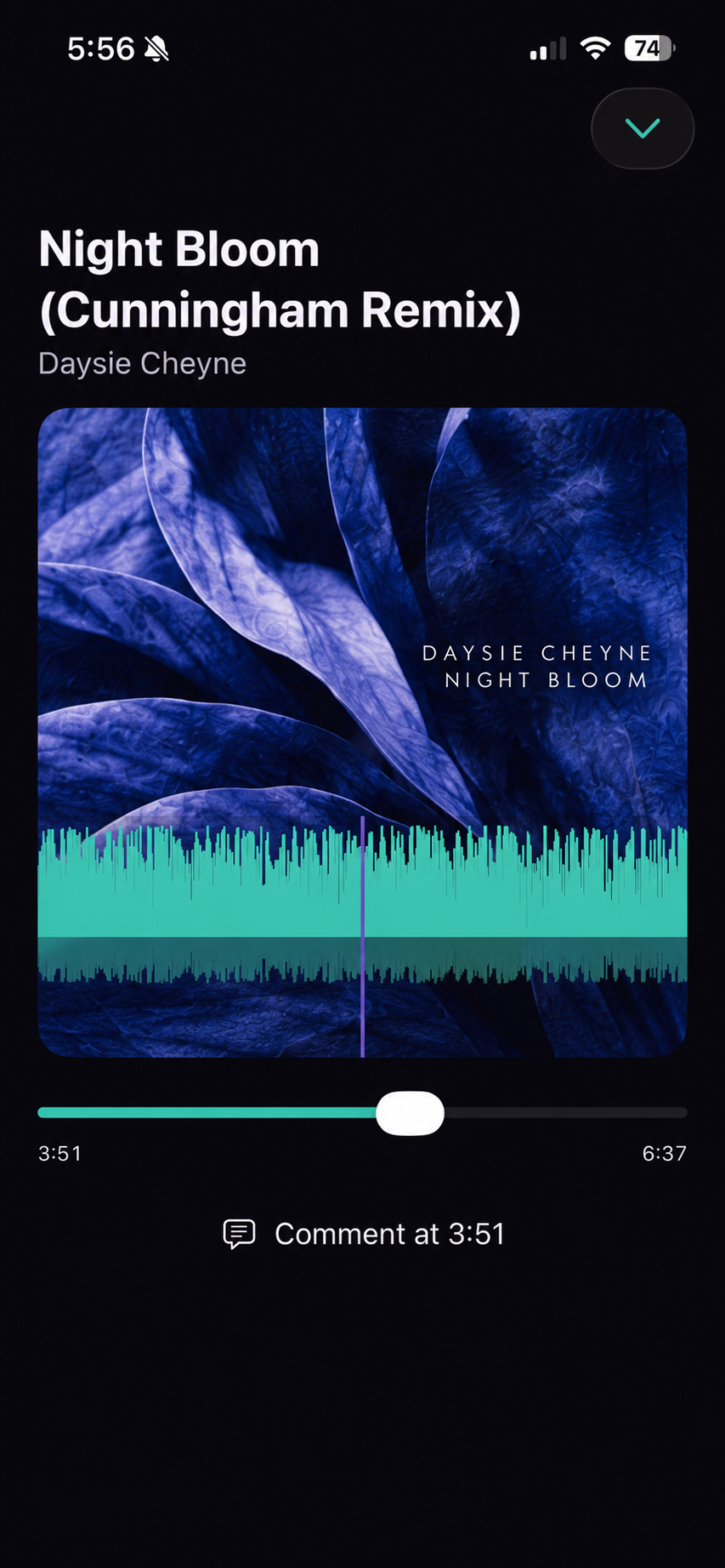
Gain-matched version auditions, aligned dynamics and stereo/mono playback. Timed comments and the selected master stay in the project, ready for the next person to pick up.

Gain matching adjusts playback level for the comparison.
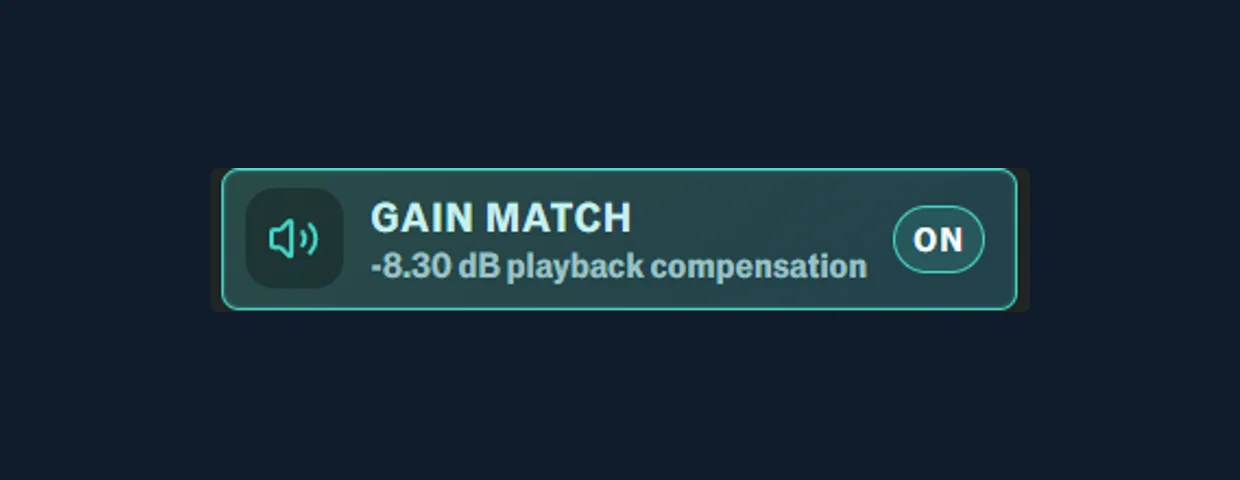
Gain match enabled in CrateSphere Studio, with -8.30 dB playback compensation.

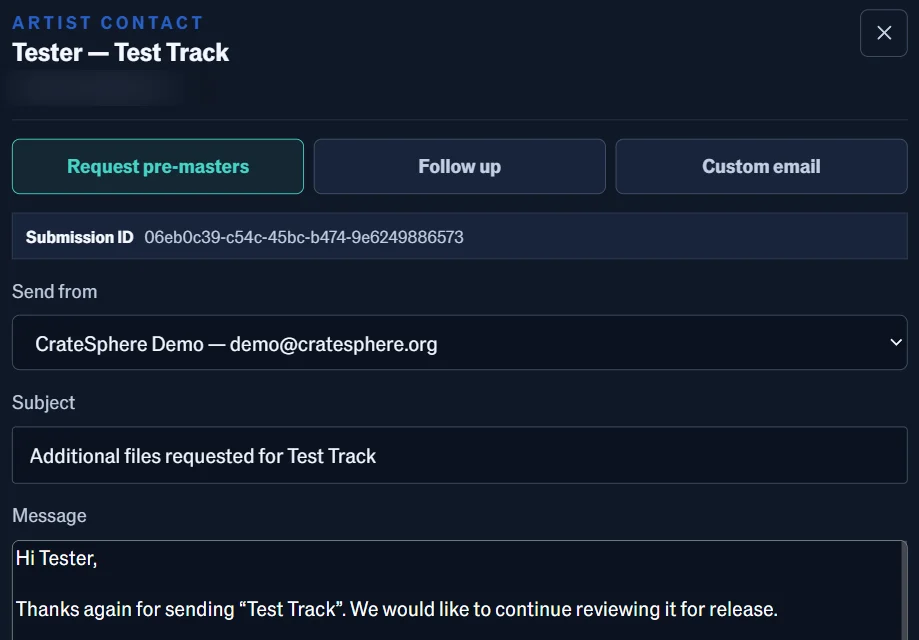
Pre-master request? Already written.

Pre-filled requests and follow-ups bring in the artist and submission context. Edit the message and send it. The usual correspondence takes less typing, and the next person can see where the release stands.

A pre-filled artist email requesting pre-masters, with the sender, subject and message ready to review.

Trim, fade and add silence

Don’t send it back. Time is money!

Track not trimmed properly? Trim it or fade it inside CrateSphere. Skip the download, DAW edit and re-upload. Engineer trimmed it a little too enthusiastically? Add silence at the start or end.

Log, Linear, Cosine and Equal Power fades. Preview trims and fades, or create a new version with the silence you need.

See the Studio tools
CrateSphere Studio audition for fictional Night Bloom (Cunningham Remix), showing master selections, expanded listening controls, a saved fade and trim, fade and silence tools.
Version auditions, master selections and waveform edits in Studio. Open full size.

The rest of the record

Compilations. Remixes. The details, too.

  • Compilation running orders

    Invite contributions, sequence the album and audition an album-loudness preview across the track list.

  • Remix work and shared stems

    Keep remix projects with the release. Share the stems placed in the project’s Stems folder.

  • Artwork approval

    Choose the front cover, approve an optional rear cover and carry the selected artwork into delivery.

  • Dates and identifiers

    Keep release dates and mastering deadlines with the project. Manage catalogue sequences and your own ISRC designations.

Metadata and delivery

Tag your metadata once. Take a longer lunch.

Enter your release metadata once. CrateSphere adapts the saved details for Too Lost, SoundCloud and Bandcamp, so you review each destination and send without typing the same release out again.

  • Direct connector

    Too Lost

    Create a draft with your release metadata, approved artwork and streaming-master audio. Transfers run in the background and can resume. Review and submit the release in Too Lost.

  • Direct connector

    SoundCloud

    Upload tracks and artwork, and build the album playlist in your label’s account. Keep it private for review or choose immediate publication.

  • Experimental

    Bandcamp Publisher

    Fill the album editor and upload the approved audio and artwork through a paired Windows browser. Come back to review, save and publish in Bandcamp.

  • Always available

    Manual export

    Audio, artwork and release information, packaged for destinations without a direct connection.

Too Lost and SoundCloud use your connected accounts. Bandcamp Publisher is experimental and uses a paired Windows workstation.

After the release

Sales, statements and payout preparation.

Review recorded sales, map them to the releases and use the saved financial terms to prepare draft statements and payout figures. Keep the reporting work in CrateSphere, ready for your review.

Finance is optional. Use it for the releases and reporting periods that need it.

Mobile companion apps

New submission while you’re out? Have a listen.

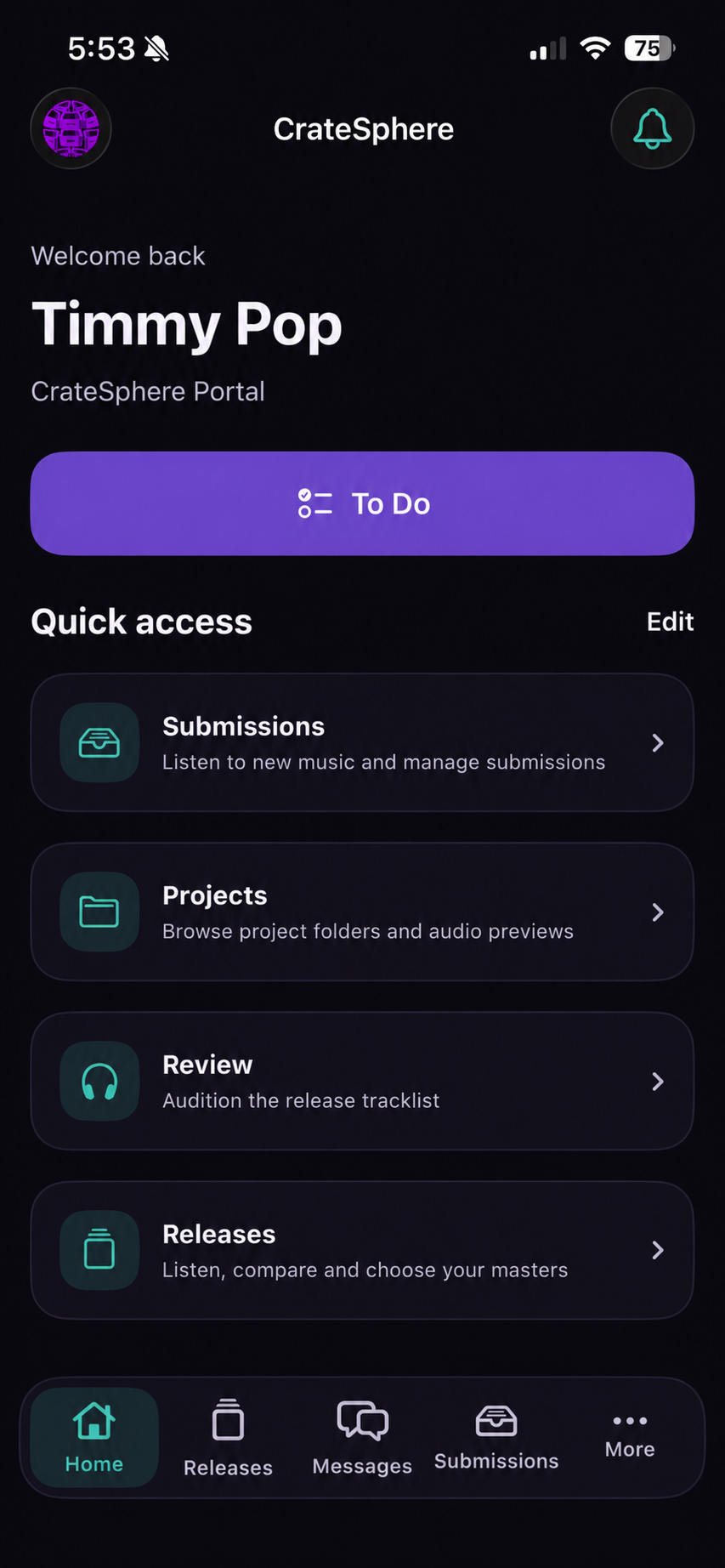
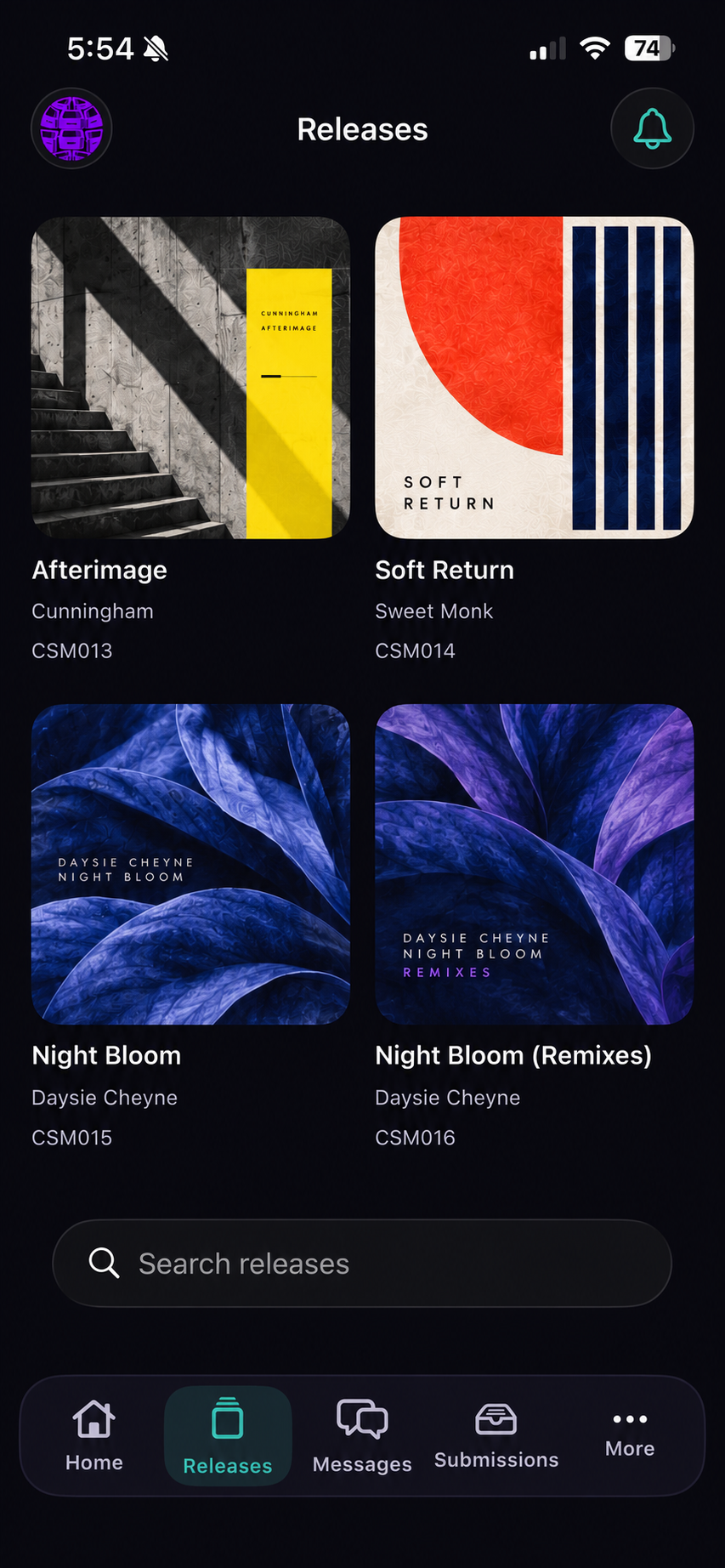
CrateSphere’s iOS and Android companion apps bring your portal with you. Listen to submissions, review versions and send a quick response away from your desk. Both apps are being finalised for production.

iOS companion

For iPhone and iPad, with portal-authorised access and preview listening.

Finalising for production

Android companion

For Android devices, using the same portal authority and release context.

Finalising for production

Look closer

Explore CrateSphere.

Accounts and access

Your catalogue.
Your accounts.

Access for the people doing the work.

Control who can access the projects they need. Connected-service credentials are encrypted; the label uses its own provider accounts.

Self-hosting puts the database, files, backups and infrastructure in your hands. Choose the protections your catalogue needs and maintain them with your host.

Why CrateSphere exists

I started a label for
the love of music.

I started running a label for the love of music, talent discovery, and giving artists a platform alongside other respected artists in their peer group.

For three years, I learned the process the hard way: its quirks, its bottlenecks and how to make a regular release schedule work. I streamlined a lot and kept the output moving, but once the honeymoon period had passed, fitting the work around a young family and a full-time job was starting to turn the process into a chore.

I still loved the music and wanted the same outcome for every artist. I tried tools that promised to help, but they mostly complicated things or were never quite right for the job. So I created CrateSphere: one shared path through lossless submissions, agreements, release files, version review, metadata, delivery and the decisions between them.

Personal demos

Bring a release. We’ll show you around.

See the version auditions, try the dynamics comparison and follow the release through metadata and delivery. Bring your awkward hand-offs and repetitive jobs too. That is where a useful demo gets interesting.

Studio and release workflowYour provider accountsYour questions, answered

Request a demo

Send an email with a little about your label. We will arrange a time to talk.

Useful to include
Your label, roughly how many releases a year, and what you would like to see first.
What happens next
You will receive a personal reply to arrange the session.
Request a demo

Or write to admin@cratesphere.org directly.